
Strapi Page Builder
What is Strapi Page Builder?
Strapi Page Builder is a modular visual page editor for Strapi CMS for websites build in React. You can use Strapi Page Builder to build custom reusable templates for your website and bring your CMS content to life.
- Quick installation and setup.
- Build custom components that can be reused in any template.
- Add, remove, change, drag and drop components and sections with an easy to use interface.
- Connect your CMS data and use it in your custom components with no additional coding.
- Reuse templates and fill them with dynamic data.
- Use Strapi’s Role-based access control to restrict permissions to only content editors.
- Allows non-technical users to manage and update content quickly and easily.
Quick Start
Get up and running with Strapi Page Builder in just a few minutes.
Strapi Page Builder works with Strapi 5 (5.31 or later, tested up to 5.57) and Next.js 15.5 or 16.4 and later, on Node.js 20 to 24. Next.js 16.0 to 16.3 with Turbopack (the default in Next.js 16) is not supported; use 16.4 or later, or run with --webpack.
Sign up
If you don’t already have one, visit the Strapi Page Builder sign-up page to sign up for a free development account and get your API key; it will be needed in the next steps.
Strapi Page Builder Template
Set up a new Strapi environment using the preconfigured Strapi Page Builder template by running
pnpm
pnpm dlx create-strapi-app@latest cms \
--template https://github.com/wecre8websites/strapi-page-builder-cms \
--template-branch masterInstalling the template prepares everything for a local demo: it generates a .env file with fresh random secrets (never overwriting an existing one), then loads the demo content and the security settings that let Strapi show your site in an iframe. This is for local demos only and never runs when NODE_ENV=production; set SKIP_DEMO_SETUP=1 to skip it.
Build, then run the Strapi development environment.
pnpm
pnpm build
pnpm developOpen your Strapi admin panel by visiting http://localhost:1337/admin and create an admin user by following the on-screen instructions.
Next, open the Strapi Page Builder settings page and add your Strapi Page Builder API key. Leave the remaining values as they are for now.
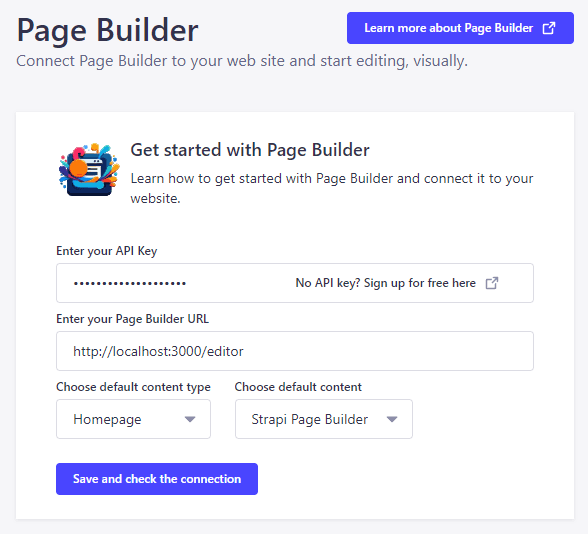
Finally, visit the API Tokens settings and create a new Read-Only API token. Save this token as it will be needed in the next step.
Next.js Strapi Page Builder Template
Set up a new Next.js 15 environment using the preconfigured Strapi Page Builder template by running
pnpm
pnpm dlx create-next-app@latest web \
--example https://github.com/wecre8websites/strapi-page-builder-demoCopy .env.example to .env and fill in the two secrets:
# Your Strapi Page Builder API key
PAGE_BUILDER_API_KEY=
# The Read-Only API token created in the previous step
STRAPI_ADMIN_TOKEN=
NEXT_PUBLIC_API_URL=http://localhost:1337/api
NEXT_PUBLIC_IMAGE_URL=http://localhost:1337
IMPORTANT: Treat both secrets like passwords and never commit them. They are server-only: do not give them a NEXT_PUBLIC_ prefix. Strapi Page Builder 1.2 keeps them out of the pages it sends to the browser; see the Security guide to confirm that for your own site.
Start the Next.js development server by running
pnpm
pnpm devStart editing
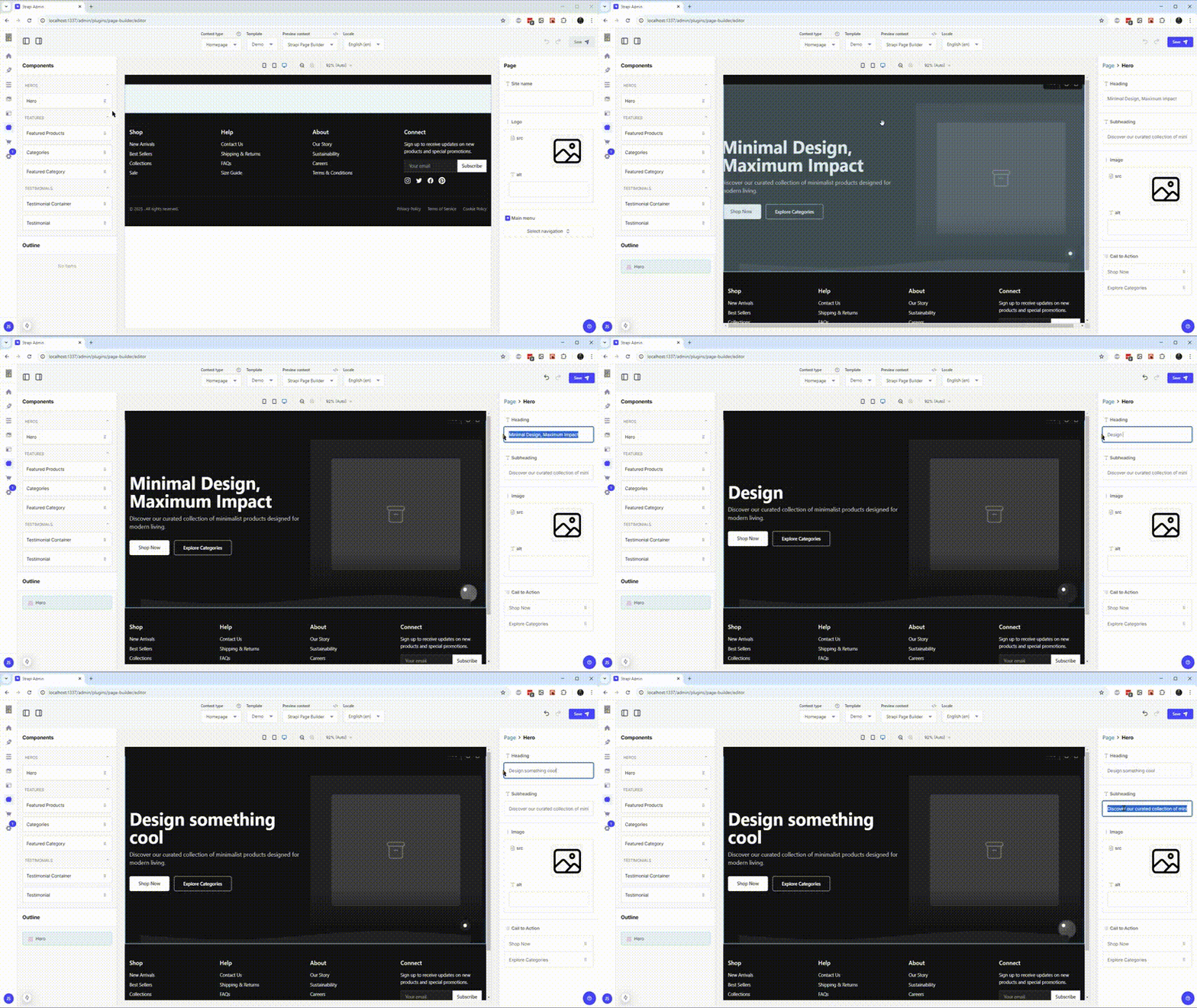
With both Strapi and Next.js running, open Strapi Page Builder from the Strapi side-bar and start editing your content, visually.
Get Support
If you have any questions about Strapi Page Builder, please open a GitHub issue .
License
Strapi Page Builder is licensed under MIT.